
 IEEE
IEEE Web of Science
Bot
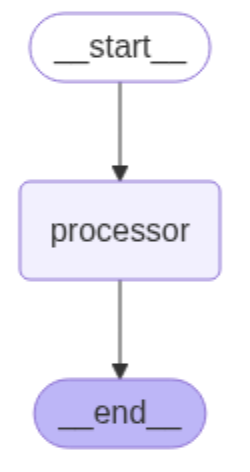
The objective here is to develop bots capable of engaging in conversations
with the user. Figure 1 illustrates the graph architecture of a bot
implemented as a single-node graph in LangGraph. As shown in the figure,
the graph consists of a start state, a node called processor, and an end
state [1].
Simple Bot
In the first scenario, the objective is to develop a simple chatbot that engages in conversations with the user without utilizing memory to retain previous interactions. To achieve this, the processor node leverages a large language model (LLM) to generate responses. As the nitial step, we define a shared data structure, called AgentState, to manage and maintain the application's state during execution [1].

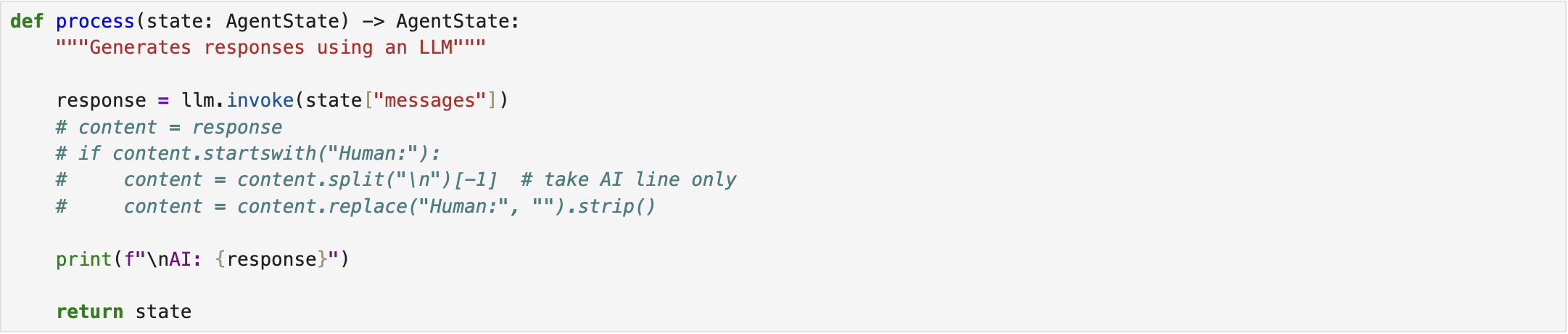
Next, the processor node is defined within the system. To this end, we assign an LLM to the processor. While robust models such as GPT-4o are available, we adopt the pre-trained "microsoft/DialoGPT-medium" model from the Hugging Face API [2] due to certain practical limitations. Accordingly, the processor node is configured to invoke this LLM with the provided input [1].
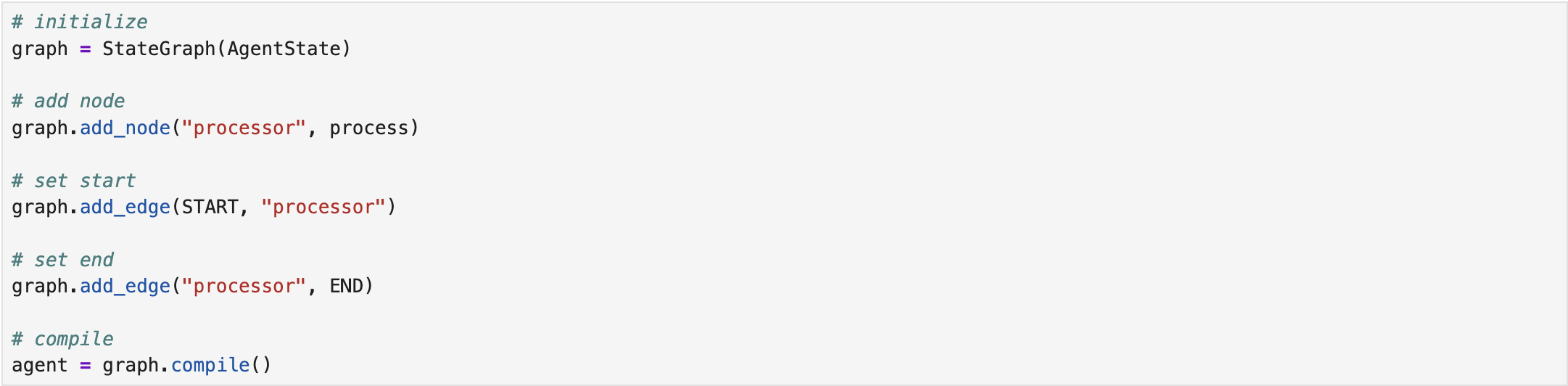
The next step involves constructing the graph. To begin, we initialize an empty graph in LangGraph, specifying its input type as state (AgentState). We then add the processor node to the graph, followed by connecting it to both the start and end states. Finally, we compile the graph and store it in a variable for subsequent execution [1].
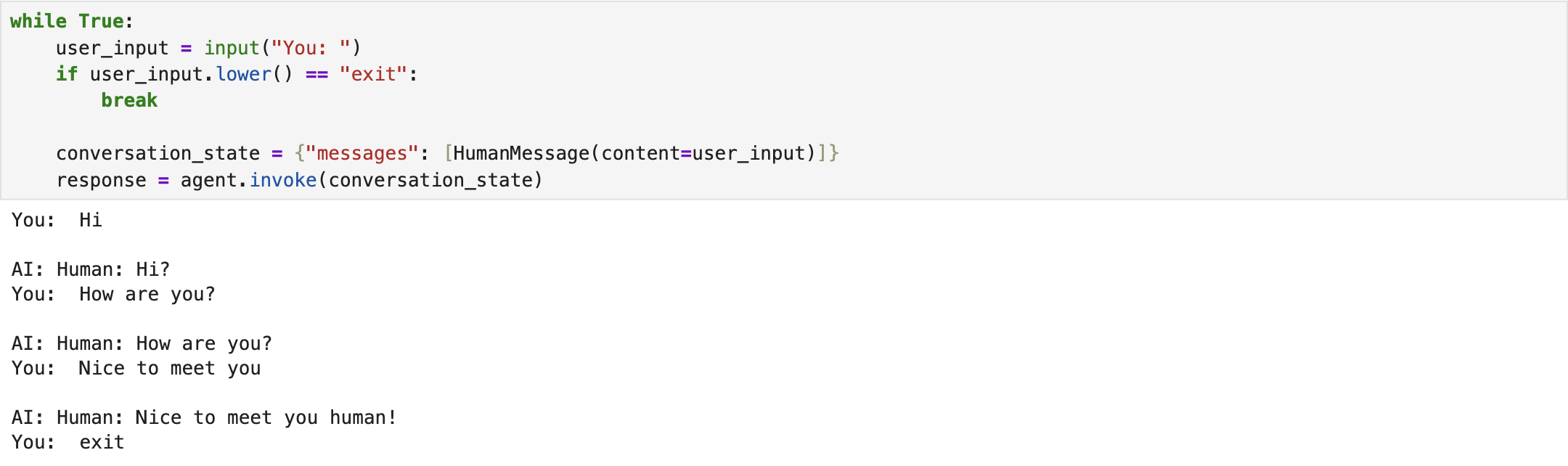
Lastly, we invoke the compiled graph by passing a conversation to that. The results indicate that simple bot could successfully meet the intended objective [1]. The complete implementation script is available on Simple Bot.
Chatbot
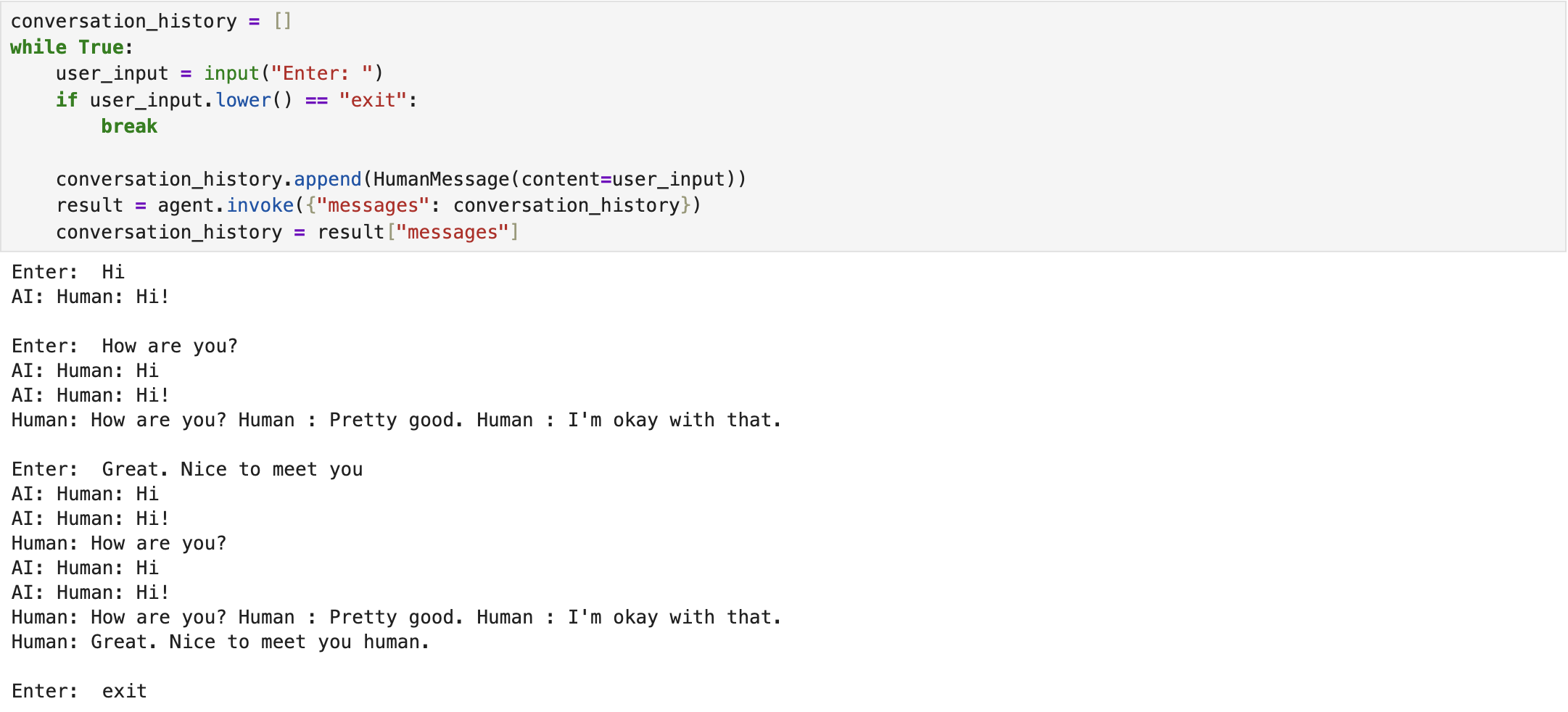
In the second scenario, we extend the simple bot to a chatbot with memory capable of retaining conversation history. The LLM and graph architecture remain largely the same as in the previous single-node bot. The primary modification lies in the AgentState, whose message structure now accommodates both human-generated and AI-generated messages that enables the system to store and utilize conversational context [1].

In the end, we invoke the compiled graph by passing a conversation to that. The results indicate that the chatbot could successfully achieve the intended objective [1]. The complete implementation script is available on Chatbot.
References
[1] freeCodeCamp.org, https://youtu.be/jGg_1h0qzaM?si=69DsFmR2TMN259HC.
[2] Hugging Face, http://huggingface.co/